



Packages and recorded payments
A package is a number of sessions at a price, with or without an expiry. You record it on your customer's account when they pay you in cash, by card on your terminal or by transfer.
Open Paquetes and tap "Agregar paquete": name, number of sessions, price including tax and, optionally, validity in days.
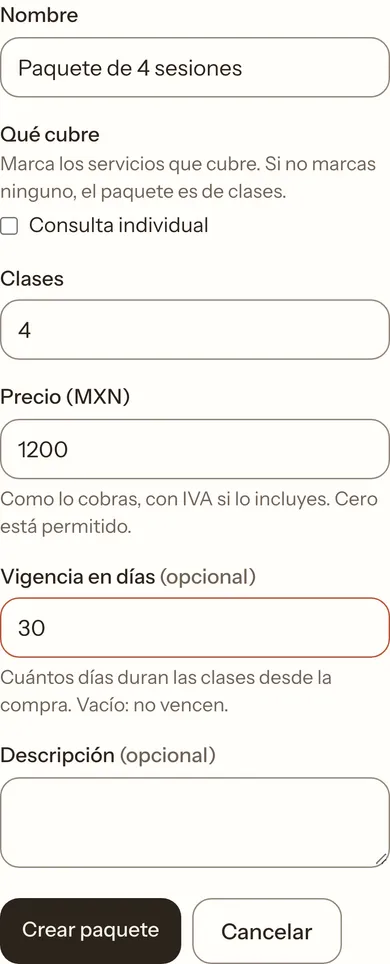
If you sell sessions of an appointment (massages, consultations), tick the package's services under "Qué cubre": it counts in sessions, not classes, and each appointment of those services spends one. In Servicios, "Esta cita requiere paquete" stops booking without a balance.
To record a payment received at the business, open Clientes y paquetes, pick the person and "Registrar pago".
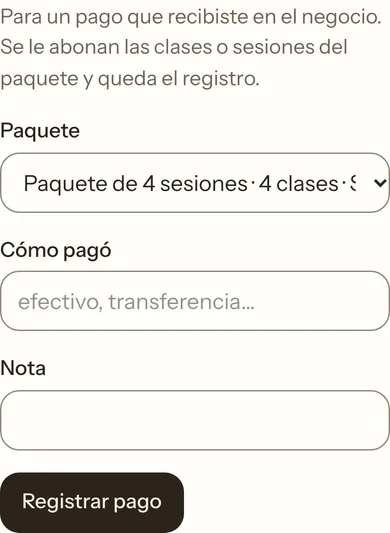
Choose the package and a note (cash, transfer). The balance rises at once and the person sees it in their account.

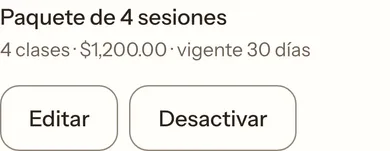
Deactivate a package you no longer sell; existing balances are unchanged.
To see what you have been paid, open Cobros registrados: pick the month and see each payment, the total and the total by payment method; cancelled ones show struck through and are not added. "Descargar este mes" downloads the same list as CSV.
Note: Cupolibre does not charge your customers: you record each payment when you receive it, and Cobros registrados adds it up for you.
Related
Didn't find what you were looking for?
Write to us at hola@cupolibre.com.mx and we will help.